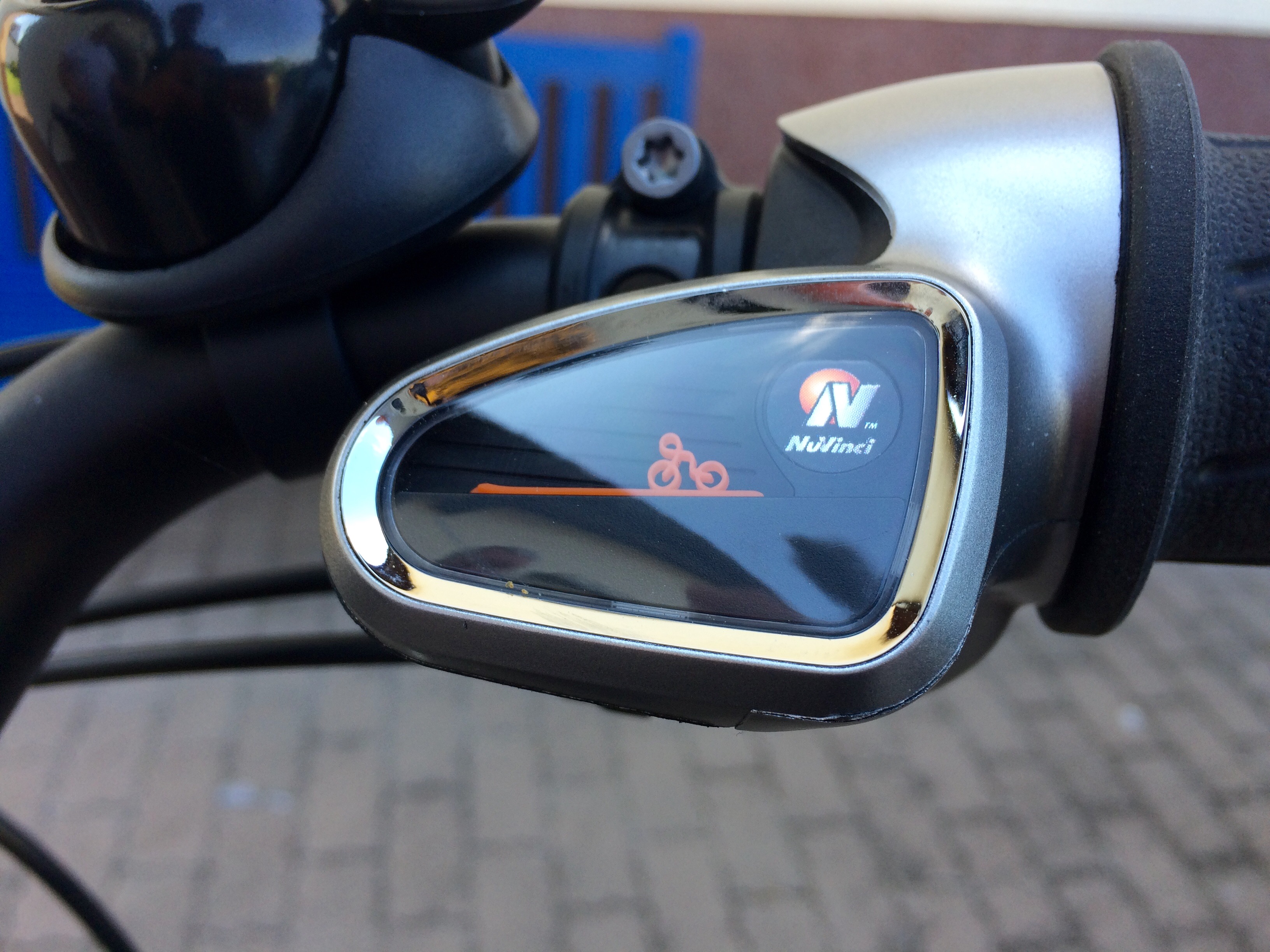
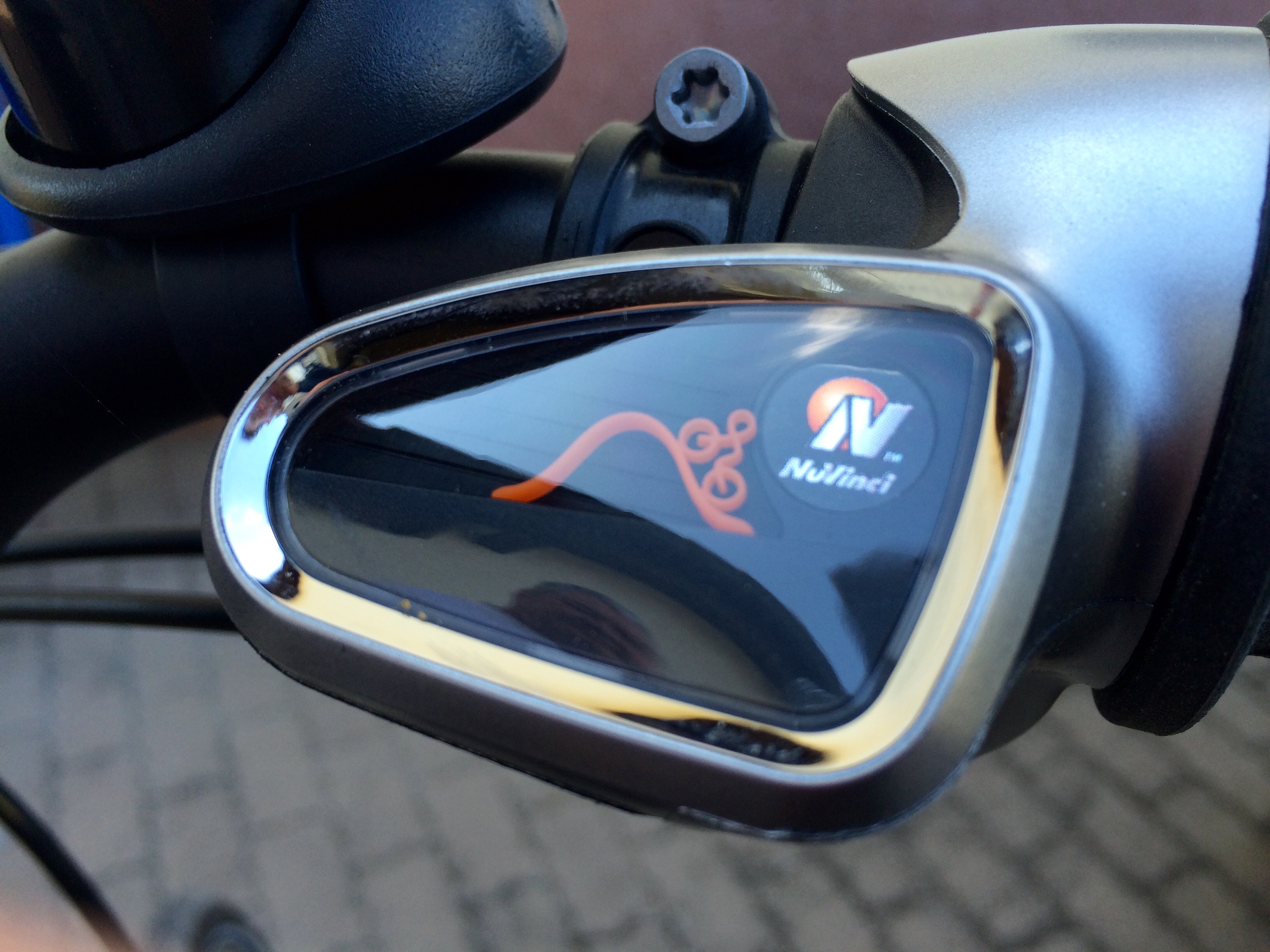
Today, I found myself delighted by a way to display the current gear on a bicycle.
It is intuitive and funny at the same time. Therefore, everyone understand its meaning.
Here you can see the bicycle with a high gear engaged.
Everybody understands the lower gear in the picture above.
I really like the simple way in which the information is represented.
Of course, you could display numbers (one to ten) in there, but the little bicycle in front of a mountain is the way that tells the user 'we (as manufactures) have thought about it'.
In my recent post I wrote the right way about asking the user for permissions.
Please take a look at it if you are interested in this topic.
Now, I’d like to present to you: PermissionController
It fulfills every mentioned point:
Never popping up the question before the user is ready to answer it with „yes“ Present the proposal just in time when the user wants to do an action Continue this action after the permission was granted. Avoiding rejection on system level because the users decision has been made before he actively opens the system dialog.
The concept is simple:
You tell the user, why the app needs his permission.
The user decides, what permission he is willing to grant.
The PermissionController triggers the system dialog.
All you as a developer need to do is call presentPermissionViewIfNeededInViewController(viewController: UIViewController, interestedInPermission: PermissionInterestedIn?, successBlock: (()->())?, failureBlock: (()->())? )
on an instance of PermissionController.
You can provide a closure of code, that will be executed after the user dismisses the PermissionController. Depending on what you were interested in (interestedInPermission), the successBlock or failureBlock will be executed.
That is the place, where your app should, lets say, use the users location.
This project could save you a few hours building a solid an decent way to ask.
It provides interfaces for you app to hook in and is a delightful optical presentation.
In my tests, the shown concept of asking for permissions is the one with the most positive outcome.
Always remember: you are (more or less) depending on the user to answer the system dialog with yes and therefore you should go the extra mile to make sure that you will get as many yes as possible.
To me, it seems as if everything is said about asking the user about certain permissions.
Nevertheless I recommend this Article and also going to summarize my opinions and experiences.
Nobody wants to be faced with the permission dialog immediately after one launches the app.
The user have to trust your your app (for example: it will be responsible with push notifications – no spam) in order to allow using his information.
If you rash into asking for very personal information, the user will be annoyed and most likely deny the request.
Imagine you walking along the road and suddenly someone asks you about your phone number or address. Would you give him your information?
I certainly would not.
Just as your users, if you do not make clear why they should give them to you.
Wait until the time is right.
As I already mentioned, after the app starts is a bad time for asking about a permission.
In contrast to that, it would make sense to wait as long as possible before popping the question.
I think, the best timt to ask about a permission is when the user wants to use a feature which requires it.
For example: you render a map and want to express where the user is located (so far, so MapKit).
The right time to ask is when the user taps a "show my location"-button (to be fair: one could argument that rendering a map implies that the current position will be shown).
Or if your app wants to access the users calendar in order to add an event. The permission should pop up after the user initiated that action (like using a "add to my calendar"-button).
Always explain why the user should accept your request and what his benefits will be.
Think about it as a reward to the user for sharing his information with you.
Also remember: the user is on your side, as long as you have made reasonable arguments about why his experience with your app will be much better.
Avoid rejection on system level
Always keep in mind: you only got one shot.
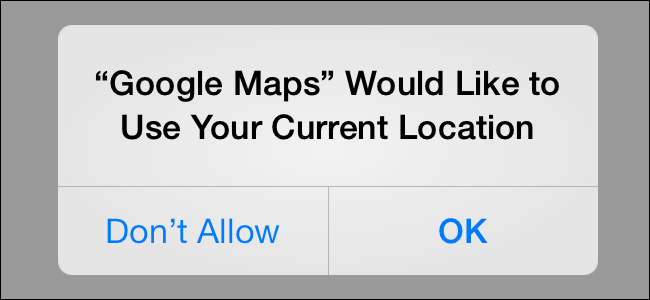
If you present the system dialog (as the picture above shows it) there are two possibilities: The user hits "Accept" and everything is all right, or the user rejects your request. In this case you missed your chance, because you can display the system dialog only once. It will not appear a second time, no matter how much you beg UIKit.
A good solution for this problem is showing another dialog before the system dialog shows up. You can control how many of your dialogs are shown but don't overdo.
Conclusion:
To wrap up my thoughts, I recommend you to prepare a decent self-made dialog that informs the user about the reason for your request.
This dialog should have buttons to accept (followed by presenting the system dialog) and decline your request (dismisses the dialog and pop it up again when the time is right).
Following these tips, most of your users should agree with you and reward it with their permission.